Labs
Creating a multilingual site with Panopoly
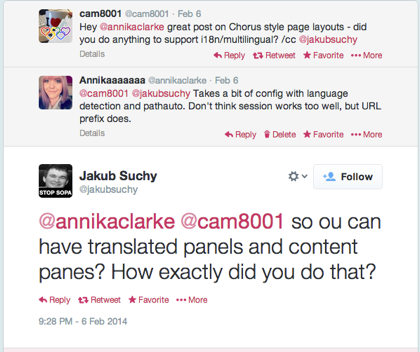
Motivated by a Twitter conversation I recently had with @cam8001 and @jakubsuchy I decided to look into how we could make a Panopoly install multilingual - and came up with the following steps.
Making a Panopoly install multilingual
- Download and enable the prerequisite modules: Variable, Internationalisation, Multilingual content, Path translation, Variable translation
- Then navigate to admin/config/regional/language and add a new language
- Next, go to admin/config/regional/language/configure and check the URL detection method, save, and then Configure the method
- Select the Path prefix option
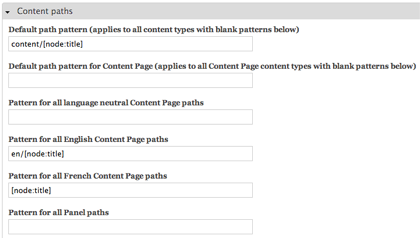
- Navigate to admin/config/search/path/patterns and scroll down to the pattern field for languages
- For your default language only, place the language code in front of the pattern for your URLs. This enables panel pages to be located at their own distinct URLs when we enable internationalisation.
- Edit the Content Page content type, and enable multilingual content
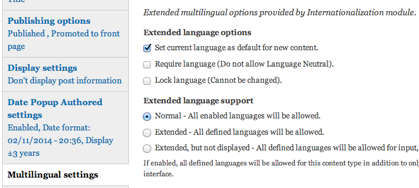
- After creating content in one language, the Translate tab will become available, which will enable creation of another page, editable with the Panels IPE, and with its own distinct URL
- Finally, enjoy multilingual Panopoly!
Translating panes... not quite there, yet!
Another way to achieve this would be with multilingual panes, but currently there is no stable way to create them. However, there has been some development at https://drupal.org/project/mlpanels to further this goal and am sure in time the 'breakthrough' will come!
Comments
When creating multilingual websites, you will improve efficiency if you use an online software localization tool to manage the string translation part. I recommend for this https://poeditor.com/
Thanks for the instructions. They saved me time in trying to figure out how to piece all of this together. It is definitely somewhat awkward, but it's great to see that all the functionality is there.
By the way, translating Fieldable Panel Panes IS possible with Entity Translation. You have to list them from the Admin -> Structure -> Fieldable Panel Panes overview. Click list next to the one whose instances you want to see. You can then edit the one you want to translate, and you will see the Translate tab appear. If you click that, you can translate it. It's a lot of clicks, but it does work, and one could presumably make a custom view to reach that page more quickly.
By the way, I noticed a small error in the article. The alias pattern steps and the content type configuration steps appear to be backwards in the instructions. The language-specific patterns don't seem to appear until you have actually configured at least one content type for some sort of translation. At least they didn't for me, which confused me as I thought I'd done a prior step wrong.
Panes have been translatable for years by using entity_translation module.
I believe that the Web Experience Toolkit already does this.
Hi Colan,
That looks really promising! I fired it up on simplytest.me and the translation interface is pretty good for variables - don't think it deals with this specific use case (panel pages with separate panes for each language) though, as far as I can see.
This article was aimed at existing Panopoly installs which need a multilingual element.
Will keep an eye on Web Experience Toolkit though, looks like it could become something really amazing. The migrations install doesn't seem to work right now though, on simplytest.me.
Add new comment